
Home / Better Knee® Flexion
For bending the knee · Available by prescriptionBetter Knee® Flexion
Regain knee flexion at home. A hand controller brings the footrest toward you until you reach your stretch, and you hold it there.
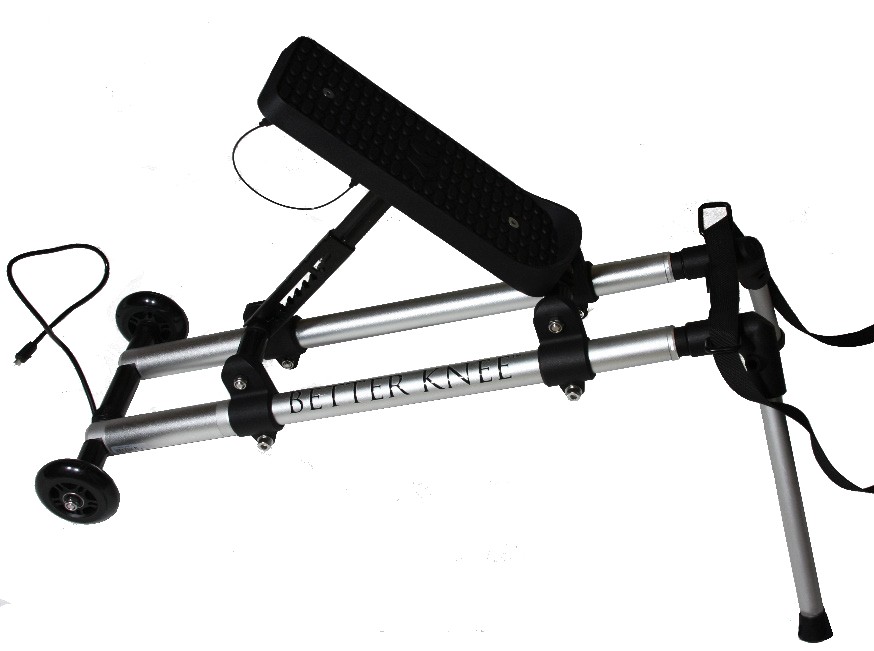
A gentle, sustained stretch you control.
The Better Knee® Flexion device applies a low-load prolonged stretch (LLPS) to help patients regain full knee flexion following surgery, injury or prolonged immobilization.
-
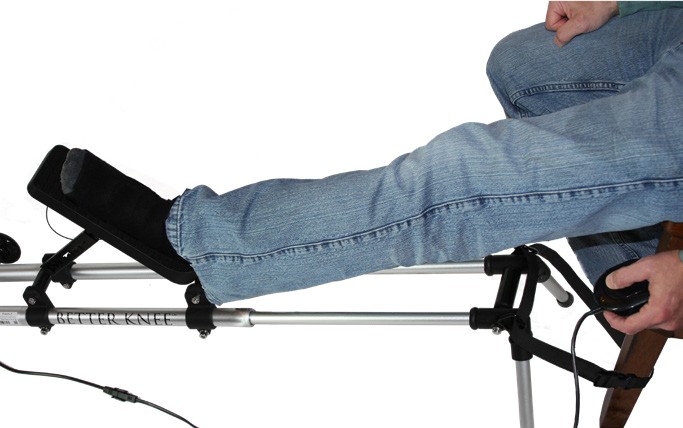
Place your foot
Sit in the chair and place your foot in the footrest. The device is strapped to the chair so it stays put.
-
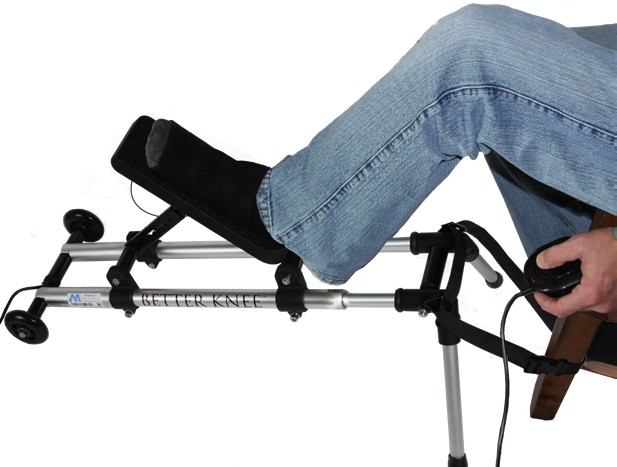
Bring it toward you
Use the controller to move the footrest toward your body. Release it when you reach the position for your stretch.
-
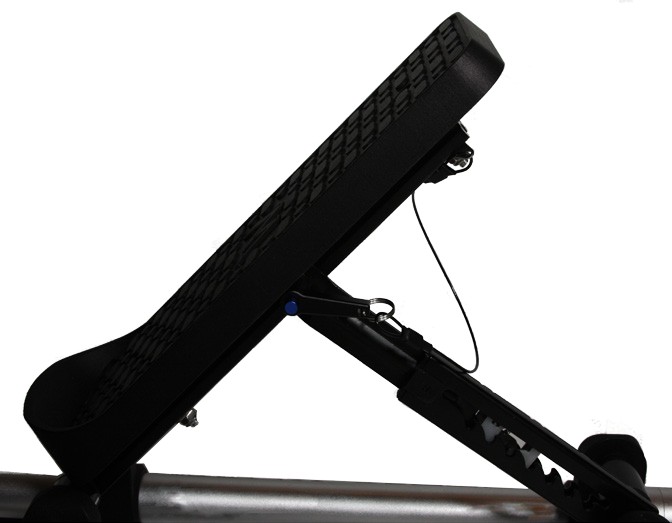
Hold, then release
Hold the stretch for the time your physician recommends, then use the controller to return your knee to the extended position.
Short stretches, several times a day.
1 From the Better Knee® Flexion use instructions: the T.E.R.T. (Total End Range Time) protocol. Repeat the stretch as directed by your physician.

What you need to set up.
Lightweight and adjustable, the device lets patients do their therapy at home, on their own schedule.
- A chair without wheelsThe strap loops around the chair leg and buckles.
- An electrical outlet within reachThe device plugs in and is moved with the controller.
- A spot out of the wayChoose a place where you or others do not need to walk.
Everything arrives together.
- Better Knee® frame
- Footplate
- Footplate retention pin
- Legs
- Leg connectors
- Strap with buckle
- Controller
- Power supply
- Wheels
- Ratchet stay
- Footplate extrusion
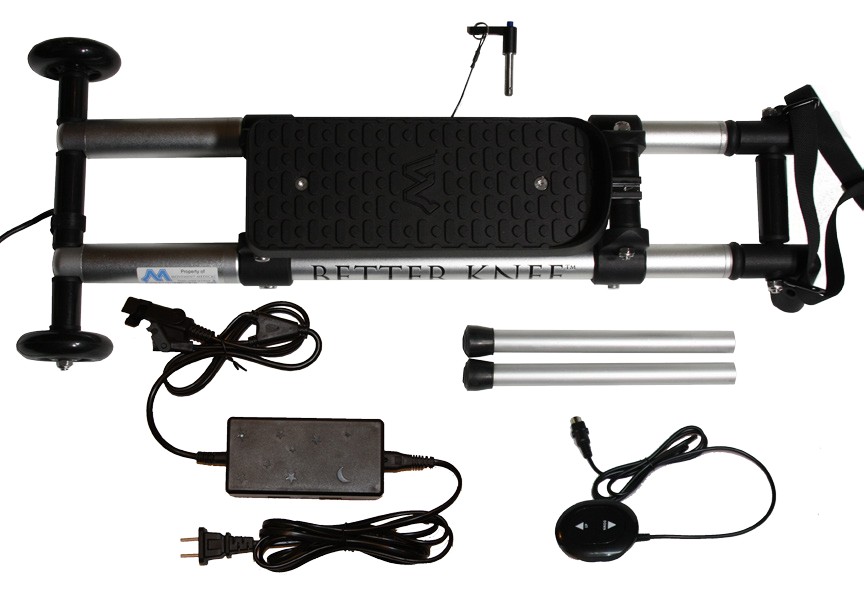
Watch it, or follow the steps.
Setting up the device
- Insert the legs into the leg connectors. Push until fully seated.
- Raise the footplate and ratchet stay into place.
- Align the holes on the footplate extrusion with the hole on the ratchet stay, and insert the footplate retention pin.
- Pull up and push down to adjust the angle of the footplate.
- Loop the strap around the leg or legs of a chair that does not have wheels.
- Insert the male end of the buckle into the female end until it clicks.
- Pull the end of the strap to tighten. To loosen, push the button and pull the plastic buckle.
Using the device
- Plug the device into an electrical outlet and make sure all wires are connected.
- Use the controller to extend the Better Knee® until it is fully extended.
- Sit in the chair and place your foot in the footrest.
- Use the controller to begin moving the footrest toward your body.
- When you reach the desired position for your stretch, release the controller.
- Hold the stretch for the time recommended by your physician.
- At the end of your stretch, use the controller to return your knee to the extended position.
Ask your physician or therapist.
Ask about prescribing the Better Knee® Flexion device, or contact us directly to learn more.